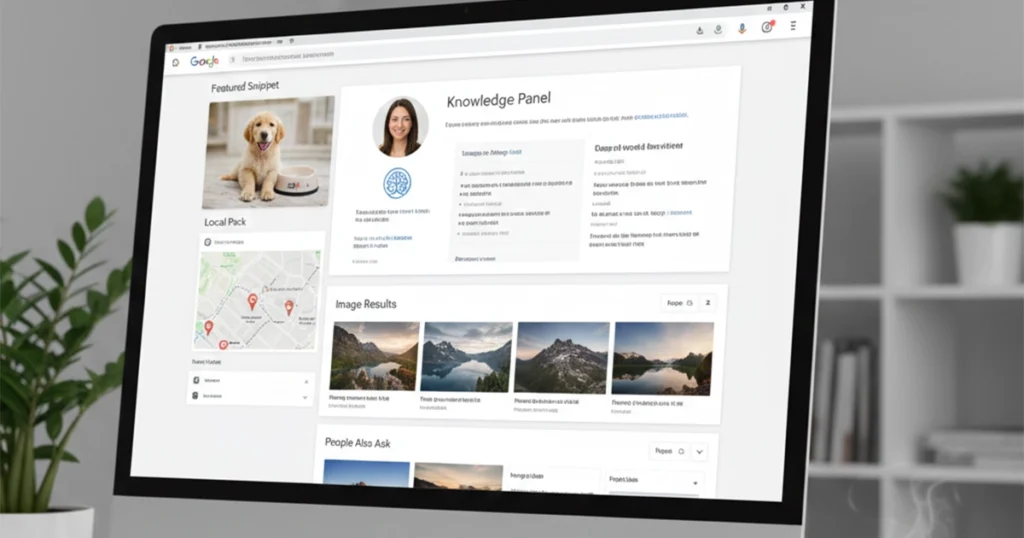
When people search online, they usually focus on the blue links, but today’s search results are far more dynamic. SERP features are the enhanced elements that appear on a search engine results page beyond traditional organic listings, such as featured snippets, local packs, image results, and knowledge panels. These Google SERP features were introduced as Google evolved from simple keyword-based listings in the late 1990s to a more intelligent, user-focused search engine designed to deliver quick, relevant answers directly on the results page.
In this blog, we’ve explored what SERP features are, the different types of Google SERP features, and how they impact visibility, traffic, and SEO strategy. If you are searching for trusted SEO services Houston, our team at The Maddex can help you leverage these features effectively to boost your rankings, increase traffic, and grow your online presence.
Traditional Types of SERP Features
Understanding SERP features is essential because they shape how your content appears beyond traditional blue links. Today, Google SERP features include far more elements than ever before, and in fact, data from Ahrefs shows that 99% of search queries trigger at least one enhanced result, meaning appearing in these features is more important than ever.
1. Featured Snippet (Position Zero)
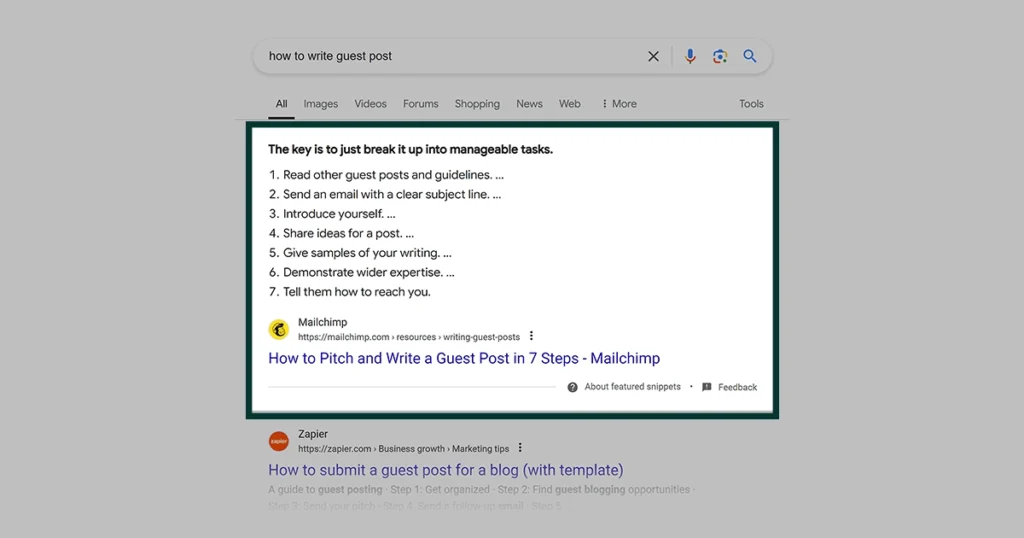
A Featured Snippet is the box that appears at the very top of Google’s search results, even above the first organic result. It directly answers a user’s question in a short paragraph, list, or table.
- Appears above all organic listings, earning the “Position Zero” spot and maximum visibility.
- Provides a concise answer in paragraph, list, or table format pulled from a webpage.
- Boosts credibility and click-through rates by instantly addressing user intent.
2. People Also Ask (PAA)
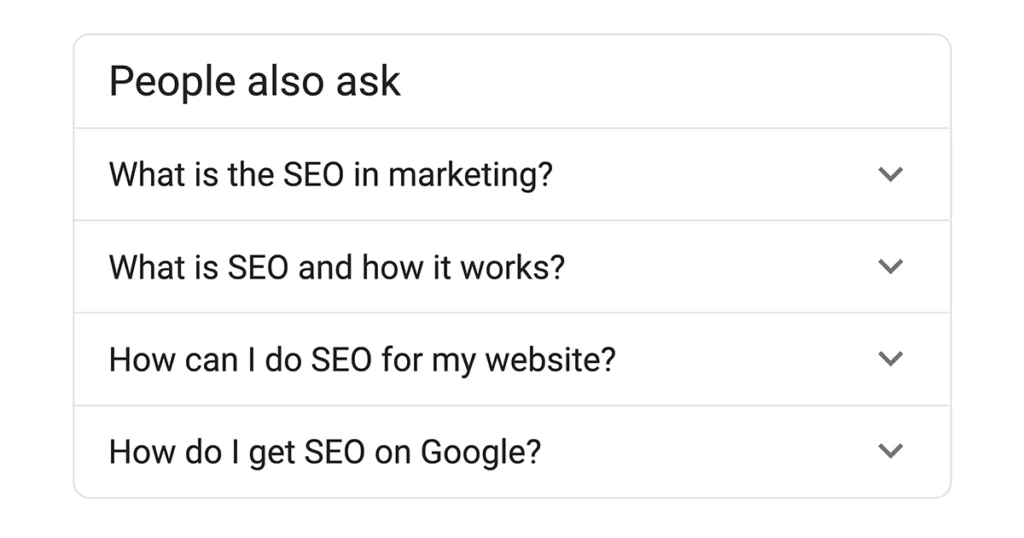
The People Also Ask (PAA) section shows a list of related questions connected to the user’s search. When you click a question, it expands to show a short answer and a link to the source.
Example: If you search “SEO tips,” you might see questions like:
- What are basic SEO techniques?
- How long does SEO take?
Clicking one shows a quick answer pulled from a website.
Why it matters: It helps websites appear multiple times on the same search page.
3. Local Pack (Map Results)
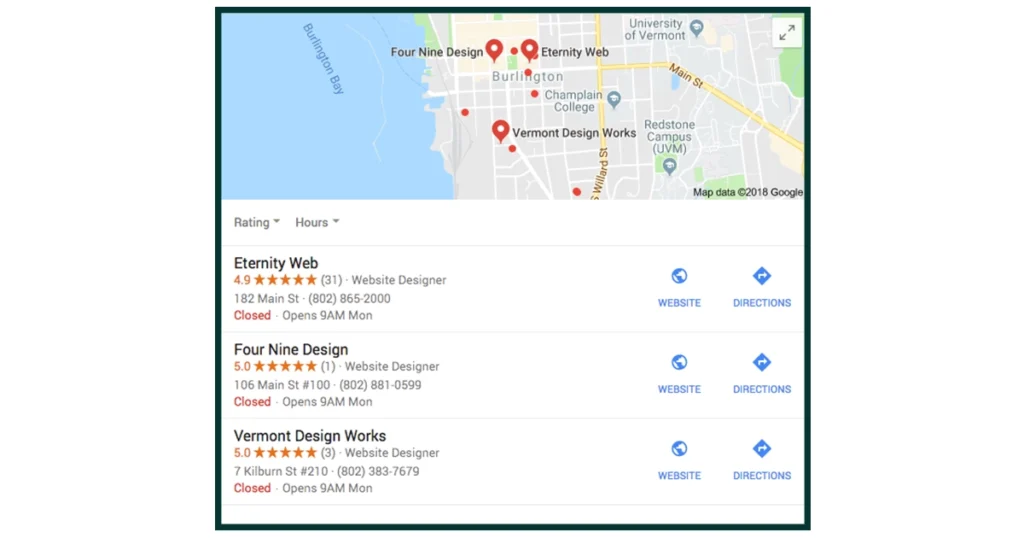
The Local Pack appears when someone searches for a service near them. It includes a small map and usually three local business listings.
Example: If you search “coffee shop near me,” Google shows a map with three nearby coffee shops, their ratings, hours, and directions.
Why it matters: It’s very important for local businesses because it drives calls, visits, and directions.
4. Image Pack
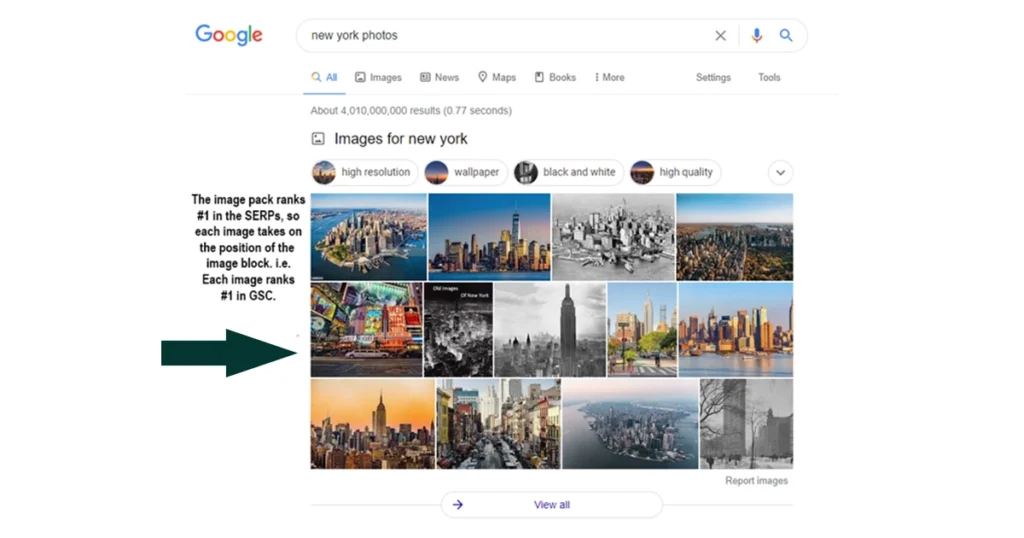
The Image Pack displays a group of images related to a search query. It usually appears in a horizontal row or small grid within the search results. When users click on an image, they are taken to Google Images, where they can view more details.
Example: If someone searches “modern kitchen design,” Google may show several kitchen images directly in the search results.
Why it matters: Great for businesses in fashion, food, travel, home design, and e-commerce.
5. Video Results
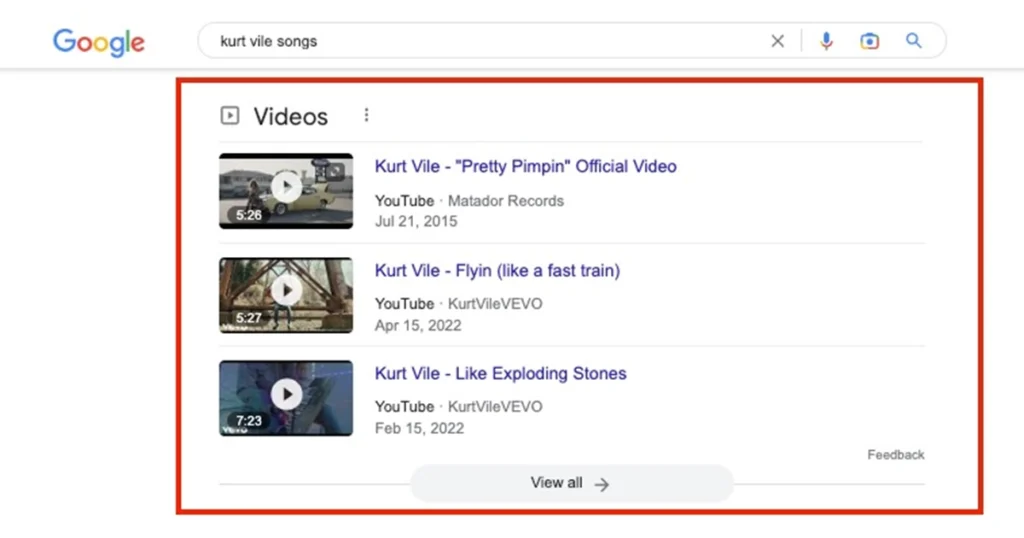
The Video Results feature shows videos related to the search query. These usually come from YouTube but can also appear on other video platforms.
Example: If you search “how to tie a tie,” you’ll likely see video tutorials at the top of the page.
Why it matters: Videos are highly engaging and can drive strong traffic.
6. Knowledge Panel
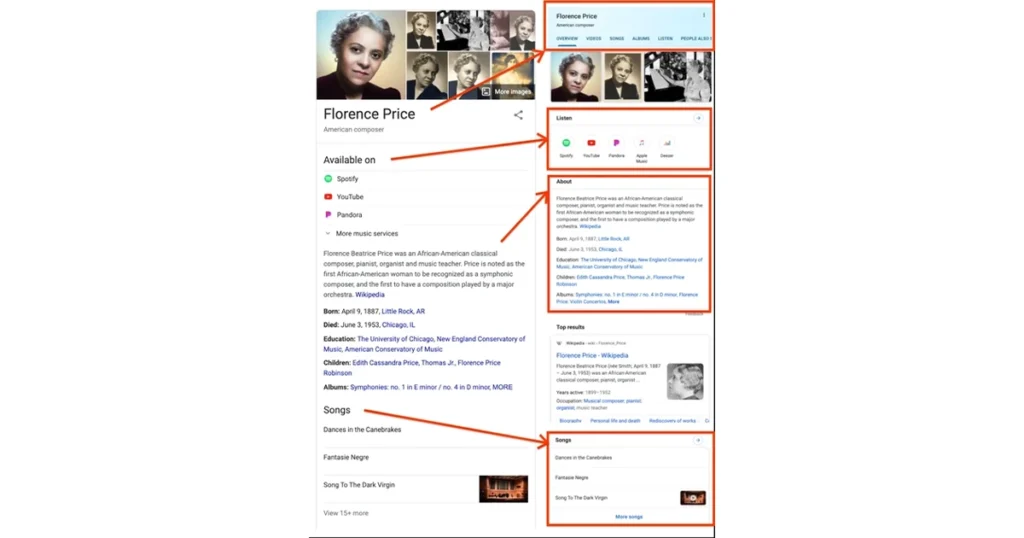
The Knowledge Panel appears on the right-hand side of desktop search results (or at the top on mobile). It provides summarized information about a person, company, place, or topic.
Example: If you search for Apple Inc., Google shows details like its founder, CEO, headquarters, and stock information.
Why it matters: It builds authority and trust by presenting verified information directly on the search page.
7. Top Stories (News Box)
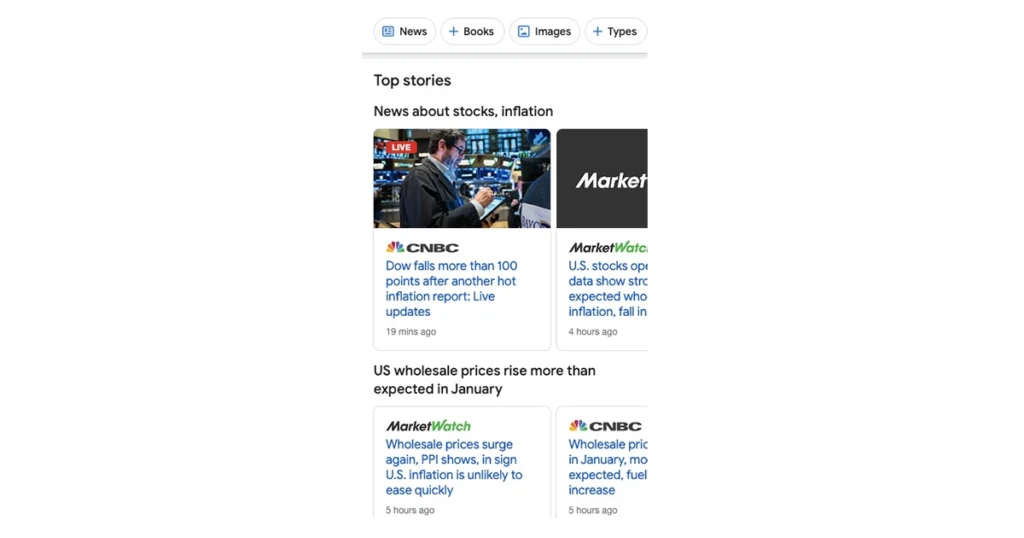
The Top Stories feature shows recent news articles related to a trending or newsworthy topic. It usually appears near the top of the search results and includes:
- Headlines
- Publisher name
- Publication time
Example: If you search “latest tech news,” you may see recent headlines from sites like BBC News or other news publishers.
Why it matters: It is important for news websites and brands that want visibility for trending topics.
8. Sitelinks
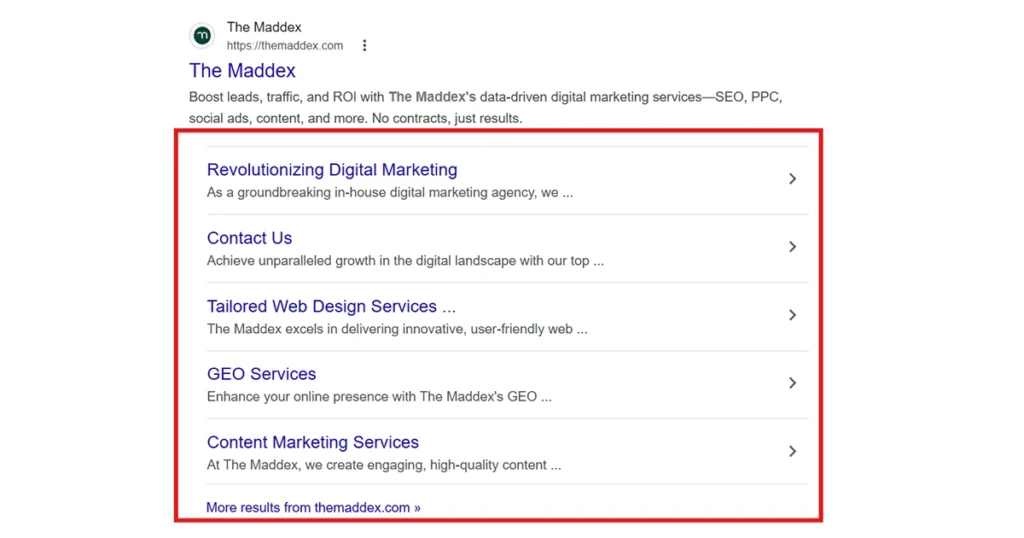
Sitelinks are additional links that appear below a website’s main search result. They help users navigate directly to important pages on the site.
Example: If someone searches for a brand like Amazon, Google may show links such as:
- Today’s Deals
- Customer Service
- Sign In
- Orders
Why it matters: Sitelinks improve user experience and increase click-through rates by directing users to specific pages.
9. AdWords (Google Ads)
AdWords (now called Google Ads) are paid advertisements that appear at the top or bottom of search results. They are marked as “Sponsored.”
Example: If someone searches “buy running shoes,” the first few results may be paid ads from sports brands or online stores.
Why it matters: Businesses pay for these spots to appear instantly at the top of search results.
10. Shopping Results
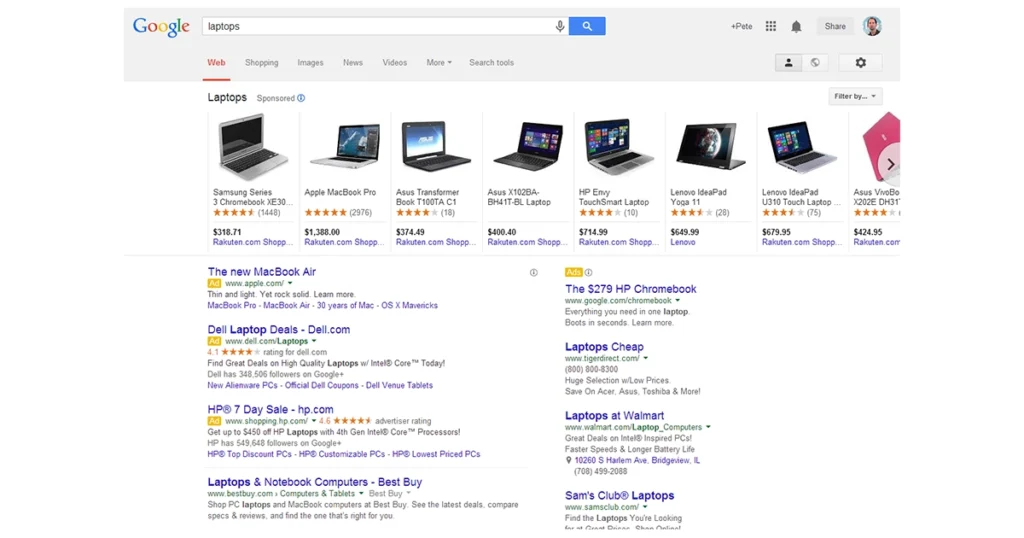
The Shopping Results feature shows product listings with images, prices, ratings, and store names. These results usually appear at the top of the page in a horizontal carousel.
Example: If you search “iPhone 15 price,” you may see product cards from different online stores with price comparisons.
Why it matters: It is very powerful for e-commerce businesses because users can compare products directly on the search page.
If you want your website to appear in these Google SERP features and get maximum visibility, it’s time to invest in professional SEO. Partner with a trusted SEO agency Houston to boost your rankings, drive more traffic, and make your content stand out in search results.
Emerging SERP Features Shaping Modern Search
Search results are constantly evolving, and understanding modern SERP features is essential for staying competitive in SEO. Beyond the traditional blue links, the updated list of Google SERP features now includes AI-driven summaries, community discussions, and creator-focused content that directly shape how users discover information.
1. AI Overview
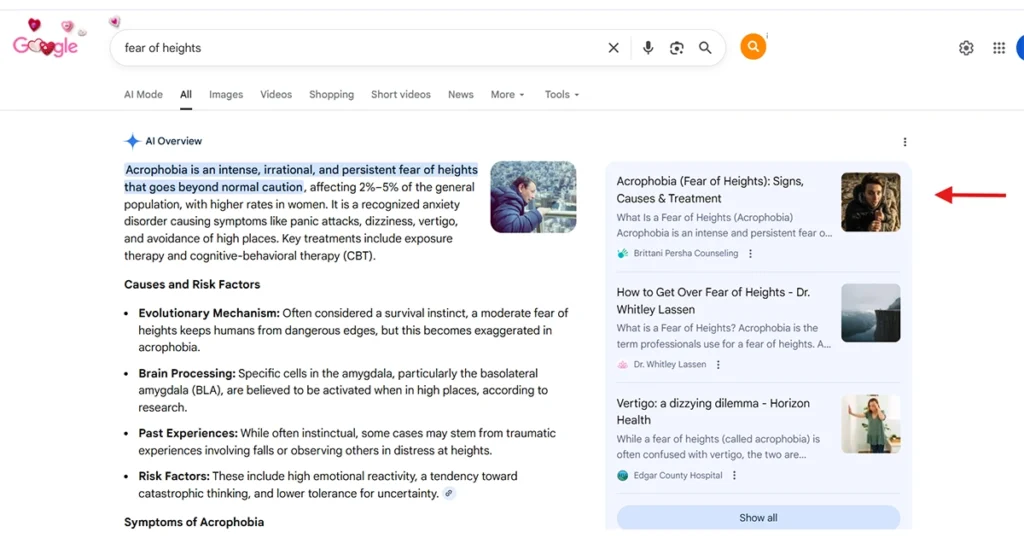
AI Overview is one of the newest and most advanced search features introduced by Google. Instead of showing only website links, Google now generates an AI-powered summary at the top of the search results. This feature pulls information from multiple sources and creates a clear, summarized answer directly on the results page.
Example: If someone searches “How to start a small business?”, AI Overview may provide:
- Step-by-step guidance
- Important considerations
- Legal and financial tips
- Links to helpful websites
Instead of clicking through several pages, users can quickly understand the topic from the summary.
Why It Matters:
- It reduces the need to click multiple websites
- It changes how organic traffic works
- It increases competition for high-quality, trustworthy content
- Websites must provide clear, expert-level content to be cited
AI Overview is reshaping SEO because ranking #1 is no longer the only goal; being referenced in the AI summary is becoming equally important.
For example, you can see how we at The Maddex have helped one of our clients, ‘Brittani Persha Counseling,’ get cited in AI Overviews.
2. Discussions & Forums
The Discussions & Forums feature highlights conversations from online communities. Google introduced this to show more real-life opinions and experiences rather than only traditional website content.
It often pulls results from platforms like:
- Reddit
- Quora
- Other niche forums
Example: If someone searches “Is freelancing worth it?”, Google may show Reddit discussions where people share their real experiences.
Why It Matters:
- Users trust real experiences
- Community-driven answers feel more authentic
- Brands can gain visibility through forum participation
- It shows that Google values user-generated content
This feature reflects a shift toward practical, experience-based information rather than only polished blog articles.
How to Optimize for SERP Features?
Optimizing for SERP features means structuring your content in a way that makes it easier for search engines like Google to understand, extract, and display it in enhanced result formats. Here are brief and practical tips:
- Target question-based keywords by using “what,” “how,” “why,” and “best” queries and provide clear, direct answers immediately below each question.
- Structure your content clearly with proper H2 and H3 headings, short paragraphs, and bullet or numbered lists to improve readability and Featured Snippet chances.
- Use schema markup (structured data) such as FAQ schema, Product schema, and Local Business schema to help search engines better understand your content and display rich results.
- Optimize for local SEO by improving your Google Business Profile, maintaining consistent NAP (Name, Address, Phone) details, and collecting positive customer reviews.
- Create high-quality visual content by optimizing image alt text, compressing images for faster loading, and publishing helpful videos with keyword-rich titles and descriptions.
- Focus on authority and trust by providing accurate information, citing reliable sources, and building strong topical expertise in your niche.
- Improve technical SEO by ensuring your website loads quickly, is mobile-friendly, uses secure HTTPS, and maintains a clean, organized site structure.
Take Your SEO to the Next Level with The Maddex
Understanding what are SERP features and the full range of Google SERP features are essential for maximizing your visibility, driving traffic, and staying ahead of competitors.
If you are searching for a reliable digital marketing agency Houston, The Maddex can help. With expert strategies, data-driven SEO techniques, and proven experience, we ensure your website not only ranks higher but also appears in the most impactful SERP features. Partner with us to unlock your brand’s full online potential.