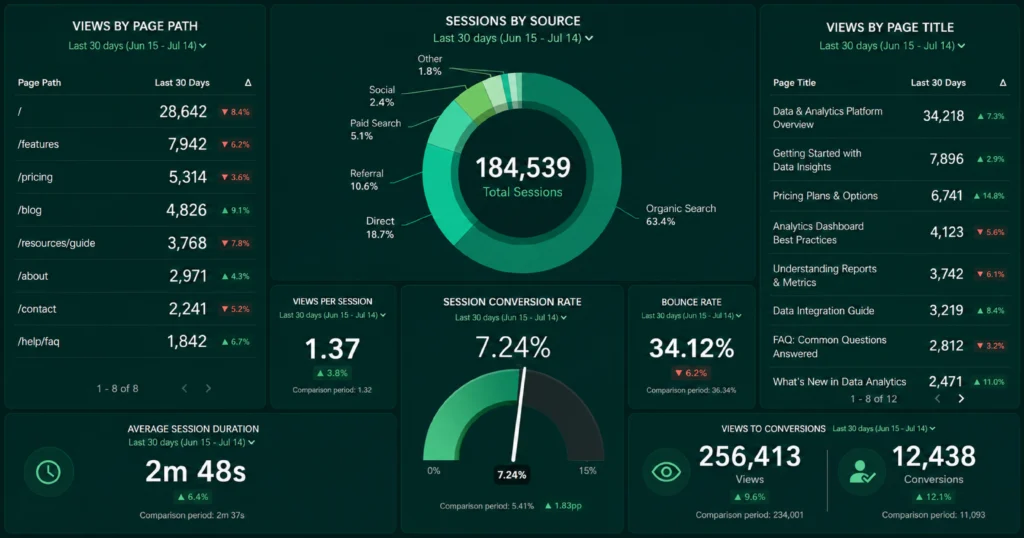
SEO audits used to mean hours buried in spreadsheets, crawl exports, and a checklist that never quite fit the site you were actually working on. AI tools like Claude have changed that workflow significantly, not by replacing the crawlers and trackers that gather your data, but by acting as the analyst who actually makes sense of it. Feed Claude the right inputs, and it can spot content gaps, flag weak on-page elements, and turn a messy crawl report into a prioritized action list in minutes.
The catch is understanding exactly what Claude can and cannot do on its own. Used correctly, it becomes one of the most efficient parts of your SEO process. Used the wrong way, expecting it to crawl your site live or pull real-time rankings without any setup, it will just leave you with confusing or incomplete results. This guide breaks down exactly how to use Claude for SEO audits, what to feed it, and where it fits alongside the tools you already use.
What Claude Can and Cannot Do for SEO Audits
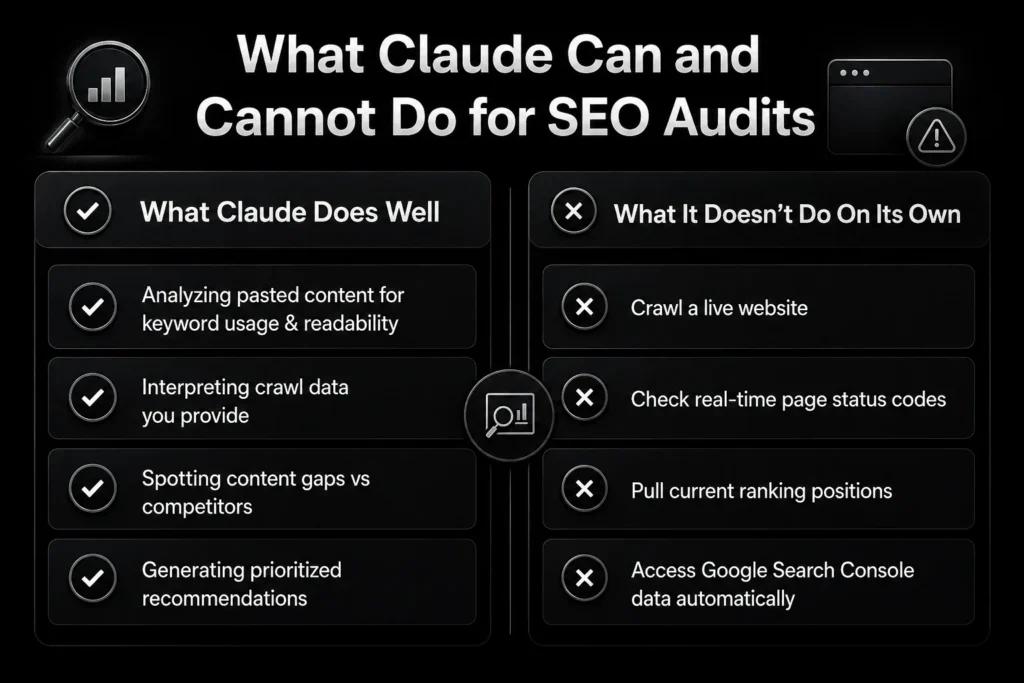
Before running an audit, it helps to know exactly where Claude adds value and where it depends on other tools.
- What it does well: Analyzing pasted content for keyword usage, structure, and readability; interpreting crawl data you provide; spotting content gaps against competitors; and generating clear, prioritized recommendations from data you supply
- What it does not do on its own: Crawl a live website, check real-time page status codes, pull current ranking positions, or access Google Search Console data unless that information is explicitly shared with it in the conversation
- The practical takeaway: Tools like Screaming Frog, Ahrefs, or Semrush find the raw technical issues. Claude is strongest at interpreting that data and telling you which issues actually matter and why
Step 1: Gather Your Data First
Claude works from the information you provide, so the audit is only as useful as the data behind it. Before starting a session, pull together whatever is relevant to the audit you are running.
- Export a crawl report from a tool like Screaming Frog or Sitebulb if you are doing a technical audit
- Copy the full text of a blog post or page, including the title, all headings, and body content, for a content audit
- Download a CSV of query and page performance data from Google Search Console if you are investigating a traffic drop
- Have a list of your target SEO keywords ready if the audit is centered on keyword optimization
Step 2: Run a Content and On-Page Audit
For individual pages or blog posts, Claude is particularly effective at spotting issues that are easy to miss when you are too close to your own content.
- Paste the full page content into the conversation along with your target keyword
- Ask Claude to review title tag length, meta description clarity, heading structure, and keyword placement
- Ask it to flag thin sections, missing internal linking opportunities, and areas where content overlaps with an existing page on your site
- Request a clear list of specific fixes, ranked by how much impact each one is likely to have
Step 3: Interpret Technical Crawl Data
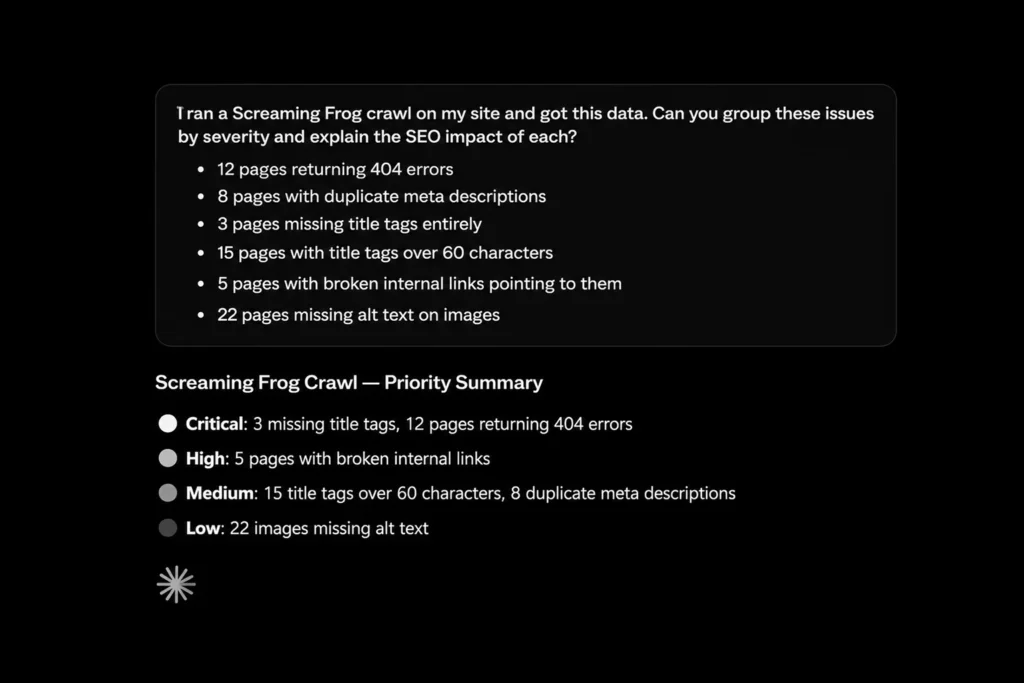
Once you have exported a crawl report, Claude can help you cut through the noise and focus on what actually needs fixing first.
- Paste the relevant columns from your crawl export, such as status codes, missing meta tags, or duplicate content flags
- Ask Claude to group the issues by severity and explain the likely SEO impact of each category
- Request a prioritized fix list rather than a raw restatement of the data, since that prioritization is where Claude adds the most value
- Cross-check anything flagged as high priority against your own understanding of the site before making changes
Step 4: Diagnose a Traffic Drop
When organic traffic drops unexpectedly, Claude can help narrow down likely causes once you provide the right performance data.
- Export a query and page performance comparison from Search Console covering the period before and after the drop
- Share the data along with any context, such as recent technical SEO changes, content updates, or a known algorithm update timeframe
- Ask Claude to identify which pages and queries lost the most visibility and whether the pattern points to a specific cause
- Use the analysis as a starting hypothesis to investigate further, not as a final diagnosis on its own
Step 5: Build a Repeatable Audit Process
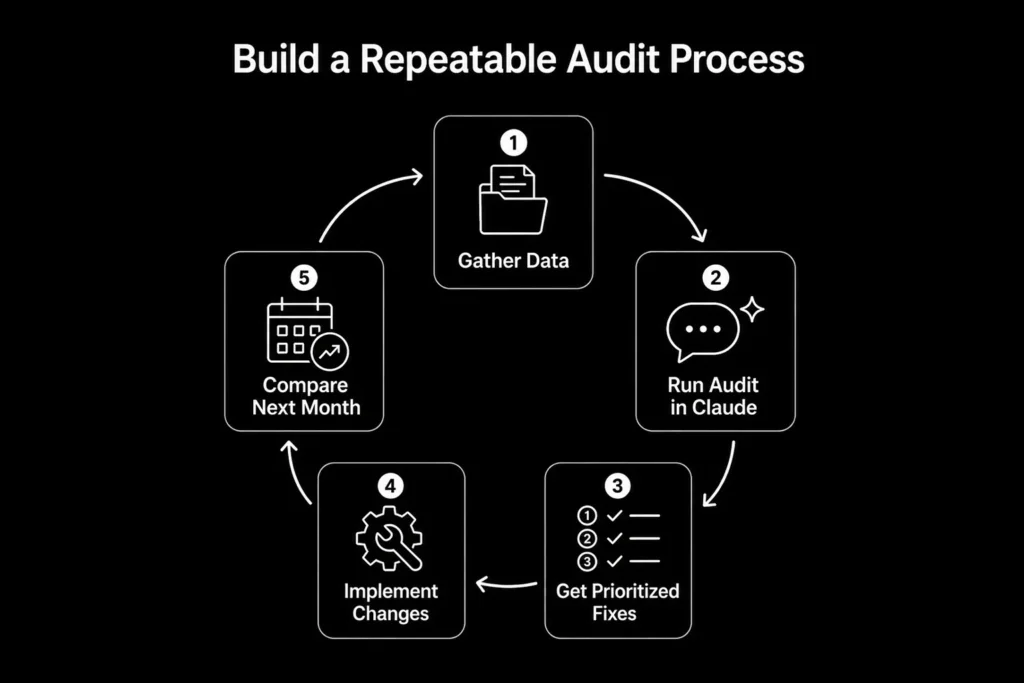
Running a one-off audit is useful, but the real value comes from turning the process into something repeatable every month.
- Save your standard audit questions and site context in a Claude Project so you are not re-explaining your business every time
- Keep a consistent format for the data you paste in, whether that is a crawl export, Search Console CSV, or page content
- Compare each audit against the previous one to track whether recommended fixes actually moved the needle
- Build a simple checklist covering on-page SEO, content optimization, and backlink health so nothing gets missed between audits
What to Pair Claude With for a Complete Audit
Claude strengthens your SEO process, but it works best alongside tools that handle the parts it cannot do on its own.
- A crawler like Screaming Frog or Sitebulb for technical site scans and status code checks
- Google Search Console for real performance and ranking data
- A backlink tool like Ahrefs or Semrush for link profile analysis and competitor comparisons
- Keyword research tools for accurate, current search volume data, since Claude cannot pull live volume numbers on its own
Get More From Your SEO With The Maddex
Claude is a genuinely useful part of a modern SEO workflow, but knowing how to feed it the right data and interpret its output correctly takes practice, and a wrong assumption about what it can do on its own can lead to missed issues. At The Maddex, our SEO team combines AI-assisted analysis with proven, data-driven strategy to make sure nothing falls through the cracks, from technical audits to content that actually ranks and converts. If you want a team that knows how to use every tool at its disposal, including AI, the right way, reach out to The Maddex today for a free strategy session.